AI-enabled signage screens
The easiest signage for your venue.
Free to start. AI builds your playlist. Keeps playing offline.
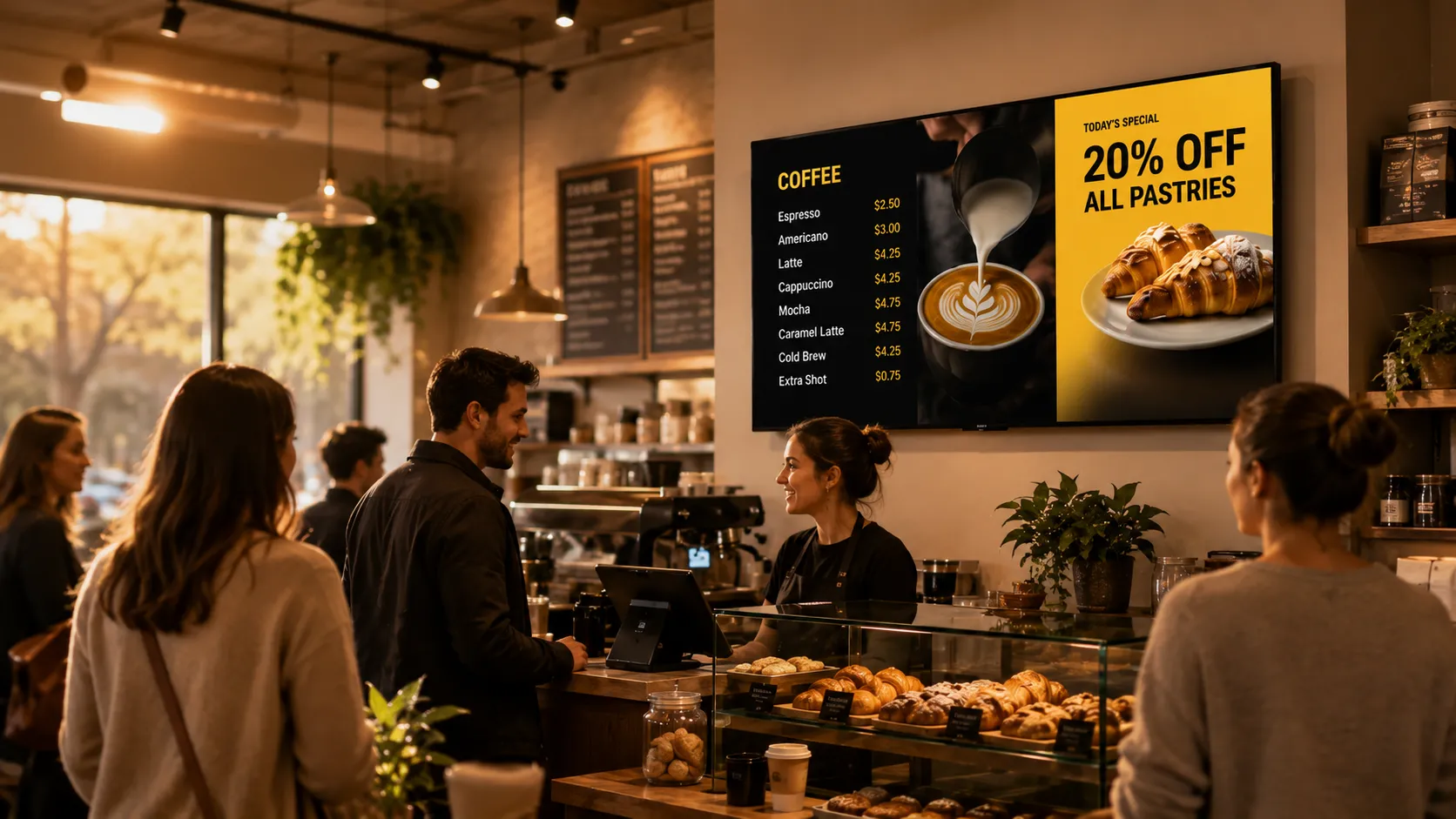

Built for the person behind the counter.
Free to start, runs itself, and anyone on your team can update it — no IT team required.
Compatibility
Runs on Android TVs and Fire TV
Android TV, Fire TV or Shield. Browser playback coming soon.


Signage that just works. Stays on. Runs itself. Free to start.
Built to stay on. Simple to run. Free to start.



Cloud-based screen management
Monitor status, schedule content, and push updates remotely — no site visits, no USBs, no downtime.



Never a blank screen
Your content keeps playing, even when the internet doesn't.

Effortless design experience
Create, update, and deploy content quickly with your favorite design tools.

Hassle-free content automation
Schedule and update content remotely without manual intervention.

AI copilot built in
Tell Beam what you want on screen and it builds the playlist for you.
How it Works
Anyone can run it.
No training. No manuals. No IT ticket.
01
Connect your screen
Install the app on your Android TV or Fire TV and pair it.
02
Manage your content
Use design tools or upload your content.
03
Schedule & Publish
Pick a start date for your content and publish it to your screen(s).

Why Choose Us
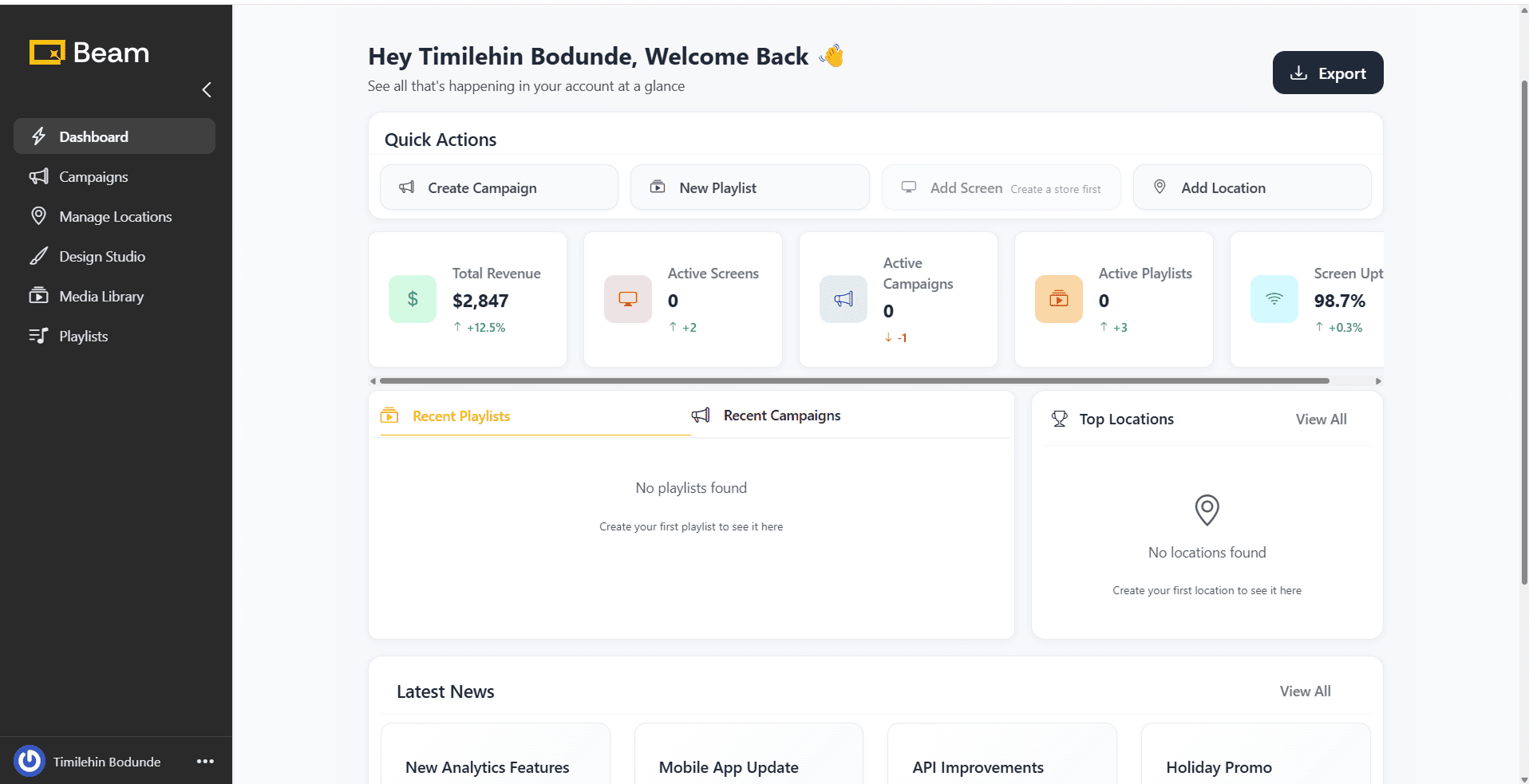
Stop fighting your screens. Run them from your phone.
We do a few things, and we do them well.

Built for your kind of place.
Pick your venue. See it working.
Café
Today's menu, specials, and a live feed between them. Updates itself while you pour coffee.
Barbershop
Show your price list, styles, and promos. Fill the wait with content that sells your services.
Gym
Class schedules, hours, member notices — on every screen, updated from your phone.
Restaurant
Swap menus by daypart. Brunch at 9, dinner at 5 — no reprints, ever.
Laundromat
Hours, pricing, and promos on a screen that runs itself all day.
More than a screen. A platform.
The things that make running screens effortless.
One screen. Many zones.
Run your menu, a live clock, weather, and a news ticker at once. Start from a template — no design skills needed.
Just ask.
Build a playlist, design a layout, or schedule a promo by chatting with Beam's copilot. Ask what's playing where — get an answer.
Proof on every play.
Timestamped impressions, top-location dashboards, and one-click PDF or CSV reports. Know exactly what ran, where.
Change once. Live everywhere.
Update your schedule and every screen refreshes in seconds — and keeps playing even if the internet drops.
Our People
Free to Start
Free signage on every screen, or go Ad-Free for $5 per screen per month. Advertising on Beam is coming later.
Common questions
How fast can a venue get started?
Install Beam on an Android TV, or plug a Fire TV Stick into any HDMI screen, then pair it and publish your first playlist.
What devices does Beam run on?
Any Android device: Android TVs, Google TV, Fire TV and NVIDIA Shield. Browser playback on smart TVs is coming soon.
What can the screen show?
Menus, specials, announcements, schedules, brand content, and local promotions can all run from the same screen.
What does it cost?
Beam is free to start. Ad-Free is $5 per screen per month.
Our Blog
Insights & Tips
Explore our latest releases, guides, tips and more straight from our creators.


Nov 9, 2026
The Small Business Saturday Screen Playbook: What to Put on Your TVs on November 28, 2026

Nov 25, 2026
How Long Should an Ad Run on Your Business's TV Screens? The Case for 10 to 15 Seconds

Nov 23, 2026
How Much Foot Traffic Does Your Venue Need Before Advertisers Will Pay to Run Ads on Your Screens?

Nov 20, 2026
How Coffee Shops Use Digital Signage to Lift Average Ticket and Earn From Off-Peak Screens
Choose the side of Beam built for you.
$0
Free signage plan to start
Android TV
Or any HDMI TV with a Fire TV Stick
Control
Approve what appears on-screen
Offline
Keeps playing when Wi-Fi drops